RStudio Server
Dave Tang
2019-11-25
Last updated: 2019-11-25
Checks: 7 0
Knit directory: listerlab/
This reproducible R Markdown analysis was created with workflowr (version 1.5.0). The Checks tab describes the reproducibility checks that were applied when the results were created. The Past versions tab lists the development history.
Great! Since the R Markdown file has been committed to the Git repository, you know the exact version of the code that produced these results.
Great job! The global environment was empty. Objects defined in the global environment can affect the analysis in your R Markdown file in unknown ways. For reproduciblity it’s best to always run the code in an empty environment.
The command set.seed(20190712) was run prior to running the code in the R Markdown file. Setting a seed ensures that any results that rely on randomness, e.g. subsampling or permutations, are reproducible.
Great job! Recording the operating system, R version, and package versions is critical for reproducibility.
Nice! There were no cached chunks for this analysis, so you can be confident that you successfully produced the results during this run.
Great job! Using relative paths to the files within your workflowr project makes it easier to run your code on other machines.
Great! You are using Git for version control. Tracking code development and connecting the code version to the results is critical for reproducibility. The version displayed above was the version of the Git repository at the time these results were generated.
Note that you need to be careful to ensure that all relevant files for the analysis have been committed to Git prior to generating the results (you can use wflow_publish or wflow_git_commit). workflowr only checks the R Markdown file, but you know if there are other scripts or data files that it depends on. Below is the status of the Git repository when the results were generated:
Ignored files:
    Ignored:    .Rhistory
    Ignored:    analysis/.Rhistory
Note that any generated files, e.g. HTML, png, CSS, etc., are not included in this status report because it is ok for generated content to have uncommitted changes.
These are the previous versions of the R Markdown and HTML files. If you’ve configured a remote Git repository (see ?wflow_git_remote), click on the hyperlinks in the table below to view them.
| File | Version | Author | Date | Message |
|---|---|---|---|---|
| Rmd | 315a41b | davetang | 2019-11-25 | wflow_publish(files = “analysis/rstudio_server.Rmd”) |
| html | a0ef9b7 | davetang | 2019-07-12 | Build site. |
| Rmd | 389bd42 | davetang | 2019-07-12 | First commit |
The open-source version of RStudio Server is installed on stiletto and runs on a version of R that is compiled in /opt/R/.
# installing RStudio Server
wget https://download2.rstudio.org/server/centos6/x86_64/rstudio-server-rhel-1.2.5019-x86_64.rpm
sudo yum install rstudio-server-rhel-1.2.5019-x86_64.rpm
The open-source version uses the server’s username and password database for authentication. This is a problem because stiletto users are authenticated using SSH keys. Therefore an admin needs to create a password for the user, which the user should change (and remember) afterwards.
# creating a password for user
sudo passwd user
Next, the user needs to create an SSH tunnel; this will forward RStudio Server from the host (stiletto) to your local computer. The IP address for stiletto (130.95.176.224) may change in the future, so adjust the IP accordingly. Below is a verbose explanation of each of the parameters used to create an SSH tunnel. Change my_public_key to the location of your public key for stiletto and change dtang to your username.
- -N Do not execute a remote command. This is useful for just forwarding ports.
- -Y Enables trusted X11 forwarding.
- -f Requests ssh to go to background just before command execution.
- -i Selects a file from which the identity (private key) for public key authentication is read.
- -L Specifies that connections to the given TCP port or Unix socket on the local (client) host are to be forwarded to the given host and port, or Unix socket, on the remote side.
# creating an SSH tunnel
ssh -N -Y -f -i my_public_key -L 8787:127.0.0.1:8787 dtang@130.95.176.224
The above command will run in the background and now if you point your browser (I recommend Firefox) to 127.0.0.1:8787 you should see the login screen.
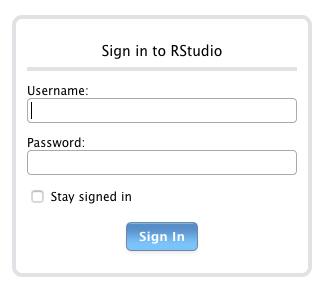
RStudio Server login
Finally, login using your username and password.
Packages
The /home directory on stiletto is limited in space so RStudio Server uses the user’s working directory 1 as the default place to install packages. Specifically, in /etc/rstudio/rsession.conf this is set using r-libs-user:
r-libs-user=~/working_data_01/R/packagesPlease make sure there is a symbolic link named working_data_01 in your home directory that points to /mnt/remoteserv/switch/userdata/usrdat01/userdata/your_user_name. For example in my case.
ls -al working_data_01
lrwxrwxrwx 1 dtang listerlab 55 Jul  3  2017 working_data_01 -> /mnt/remoteserv/switch/userdata/usrdat01/userdata/dtang
In addition, library dependencies for R packages (especially bleeding edge version) will rely on default system-wide installations, which are usually outdated on stiletto. I have updated some of the them in /usr/lib and stored others in /usr/local/lib.
Installing the hdf5r package
One of the dependencies of Seurat is the hdf5r package. The version of HDF5 on the RHEL7 repository is too old. Therefore I have downloaded the HDF5 binaries and stored them in /opt/hdf5/; sudo ./h5redeploy was run to rebuild the paths. The /opt/hdf5/latest/bin and /opt/hdf5/latest/lib directories are not included in PATH and LD_LIBRARY_PATH, respectively, by default and needs to be specified when installing the hdf5r package.
You can add the following lines into your ~/.Rprofile file or run them prior to installing hdf5r.
my_path <- paste0("/opt/hdf5/latest/bin:", Sys.getenv("PATH"))
Sys.setenv(PATH = my_path)
my_lib_path <- paste0("/opt/hdf5/latest/lib:", Sys.getenv("LD_LIBRARY_PATH"))
Sys.setenv(LD_LIBRARY_PATH = my_lib_path)
install.packages("hdf5r")

# now you should be able to install Seurat
install.packages("Seurat")
Quiting a session
Please remember to quit your session once you have finished using RStudio Server. If you leave a session idle, RStudio Server will save your workspace on disk. By default this is saved to your home directory, which is limited in size on stiletto. This can lead to problems such as filling up the home directory. I have turned off the session time out, which should prevent RStudio Server from automatically writing the session data to the home directory.
# /etc/rstudio/rsession.conf
session-timeout-minutes=0
In addition, if you leave your computer idle, the SSH tunnel may disconnect. If that happens, kill the previous tunnel and start a new one. Use the ps command to find an existing connection and use the process ID and the kill command to terminate the process.
ps -ef | grep ssh | grep 8787
  501   935     1   0  9:28am ??         0:00.32 ssh -N -Y -f -i my_key -L 8787:127.0.0.1:8787 dtang@130.95.176.224

# process ID is 935 as shown above
kill 935
Admin stuff
R was compiled with the following parameters.
#!/bin/bash

#  --with-cairo            use cairo (and pango) if available [yes]
#  --with-libpng           use libpng library (if available) [yes]
#  --with-jpeglib          use jpeglib library (if available) [yes]
#  --with-libtiff          use libtiff library (if available) [yes]

r_version=3.6.1

# use only system libraries
PATH=/usr/local/bin:/usr/local/sbin:/usr/lib64/qt-3.3/bin:/usr/local/bin:/usr/bin:/usr/local/sbin:/usr/sbin

./configure --prefix=/opt/R/$r_version --with-x=yes --enable-R-shlib=yes --with-cairo=yes --with-libpng=yes
The core server settings are in the config file /etc/rstudio/rserver.conf and the session settings are in the config file /etc/rstudio/rsession.conf. Read this article for more information. In /opt/R/ the latest symlink will point to the latest version of R that was compiled.
cat /etc/rstudio/rserver.conf
# Server Configuration File

# self compiled versions
rsession-which-r=/opt/R/latest/bin/R

# RedHat R
# rsession-which-r=/usr/bin/R

www-port=8787
# ianc is 511 for historical reasons....
# default min is 1000
# auth-minimum-user-id=511

cat /etc/rstudio/rsession.conf
# R Session Configuration File

r-libs-user=~/working_data_01/R/packages

# You can turn off the session timeout by setting session-timeout-minutes to zero minutes
# Turning off the session timeout will prevent RStudio Server from automatically writing the session data to the home directory.
# If you are dealing with large amounts of data or a large number of sessions, turning off the session timeout could save a lot of space in your home directory.
# The session timeout setting can optionally be specified at the user or group level by adding session-timeout-minutes to the /etc/rstudio/profiles file.
session-timeout-minutes=0
Use rstudio-server to manage RStudio Server. Below are commands for stopping, starting, and restarting rstudio-server.
sudo rstudio-server stop
sudo rstudio-server start
sudo rstudio-server restart
By default, the memory limit is set to 18446744073709551615 (2^64 -1). To limit RStudio Server from using all available memory, the limit is set to 200G
systemctl show rstudio-server.service  | grep -i memory

MemoryCurrent=24618020864
MemoryAccounting=no
MemoryLimit=18446744073709551615

systemctl set-property rstudio-server.service MemoryLimit=200G
systemctl show rstudio-server.service  | grep -i memory

MemoryCurrent=19105144832
MemoryAccounting=no
MemoryLimit=214748364800
DropInPaths=/etc/systemd/system/rstudio-server.service.d/50-MemoryLimit.conf
sessionInfo()R version 3.6.1 (2019-07-05)
Platform: x86_64-apple-darwin15.6.0 (64-bit)
Running under: macOS Mojave 10.14.6
Matrix products: default
BLAS: /Library/Frameworks/R.framework/Versions/3.6/Resources/lib/libRblas.0.dylib
LAPACK: /Library/Frameworks/R.framework/Versions/3.6/Resources/lib/libRlapack.dylib
locale:
[1] en_AU.UTF-8/en_AU.UTF-8/en_AU.UTF-8/C/en_AU.UTF-8/en_AU.UTF-8
attached base packages:
[1] stats graphics grDevices utils datasets methods base
other attached packages:
[1] forcats_0.4.0 stringr_1.4.0 dplyr_0.8.3 purrr_0.3.3
[5] readr_1.3.1 tidyr_1.0.0 tibble_2.1.3 ggplot2_3.2.1
[9] tidyverse_1.2.1
loaded via a namespace (and not attached):
[1] tidyselect_0.2.5 xfun_0.11 haven_2.2.0 lattice_0.20-38
[5] colorspace_1.4-1 vctrs_0.2.0 generics_0.0.2 htmltools_0.4.0
[9] yaml_2.2.0 rlang_0.4.1 later_1.0.0 pillar_1.4.2
[13] withr_2.1.2 glue_1.3.1 modelr_0.1.5 readxl_1.3.1
[17] lifecycle_0.1.0 munsell_0.5.0 gtable_0.3.0 workflowr_1.5.0
[21] cellranger_1.1.0 rvest_0.3.5 evaluate_0.14 knitr_1.26
[25] httpuv_1.5.2 broom_0.5.2 Rcpp_1.0.3 promises_1.1.0
[29] backports_1.1.5 scales_1.0.0 jsonlite_1.6 fs_1.3.1
[33] hms_0.5.2 digest_0.6.22 stringi_1.4.3 grid_3.6.1
[37] rprojroot_1.3-2 cli_1.1.0 tools_3.6.1 magrittr_1.5
[41] lazyeval_0.2.2 crayon_1.3.4 whisker_0.4 pkgconfig_2.0.3
[45] zeallot_0.1.0 xml2_1.2.2 lubridate_1.7.4 assertthat_0.2.1
[49] rmarkdown_1.17 httr_1.4.1 rstudioapi_0.10 R6_2.4.1
[53] nlme_3.1-142 git2r_0.26.1 compiler_3.6.1